MADE WITH X64 IDE
Ember Vault
A complete Commodore 64 platformer, built with X64 IDE. The code, graphics, music, and disk layout in this tour all belong to the game.
Get Ember Vault on itch.io#1itch.io · 8-bit Top GamesReached in just two days.

A NEW CHAPTER FOR THE C64
That unmistakable machine. A whole new workspace. Code, draw, compose, and bring your Commodore 64 ideas to life with X64 IDE.
Native desktop app · Windows 11 x64
MEET YOUR WORKSPACE
Your source, sprites, maps, and music belong to the same project. Move from an idea to a running C64 program without losing your flow.
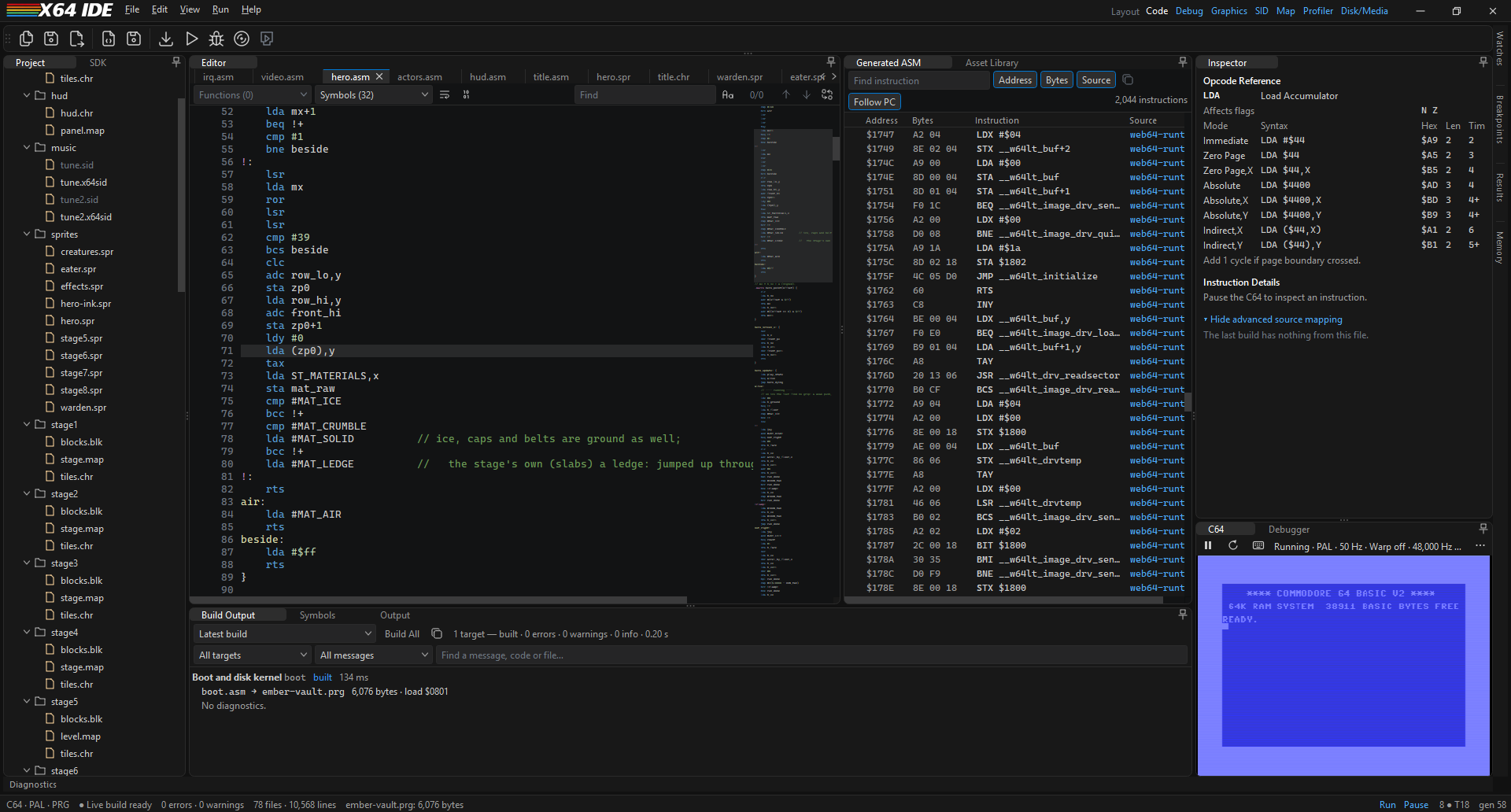
Work in C, 6502 assembly, or a mix of both. Build your project and run it on the resident C64, right beside your code.
Actual development build · click to enlarge
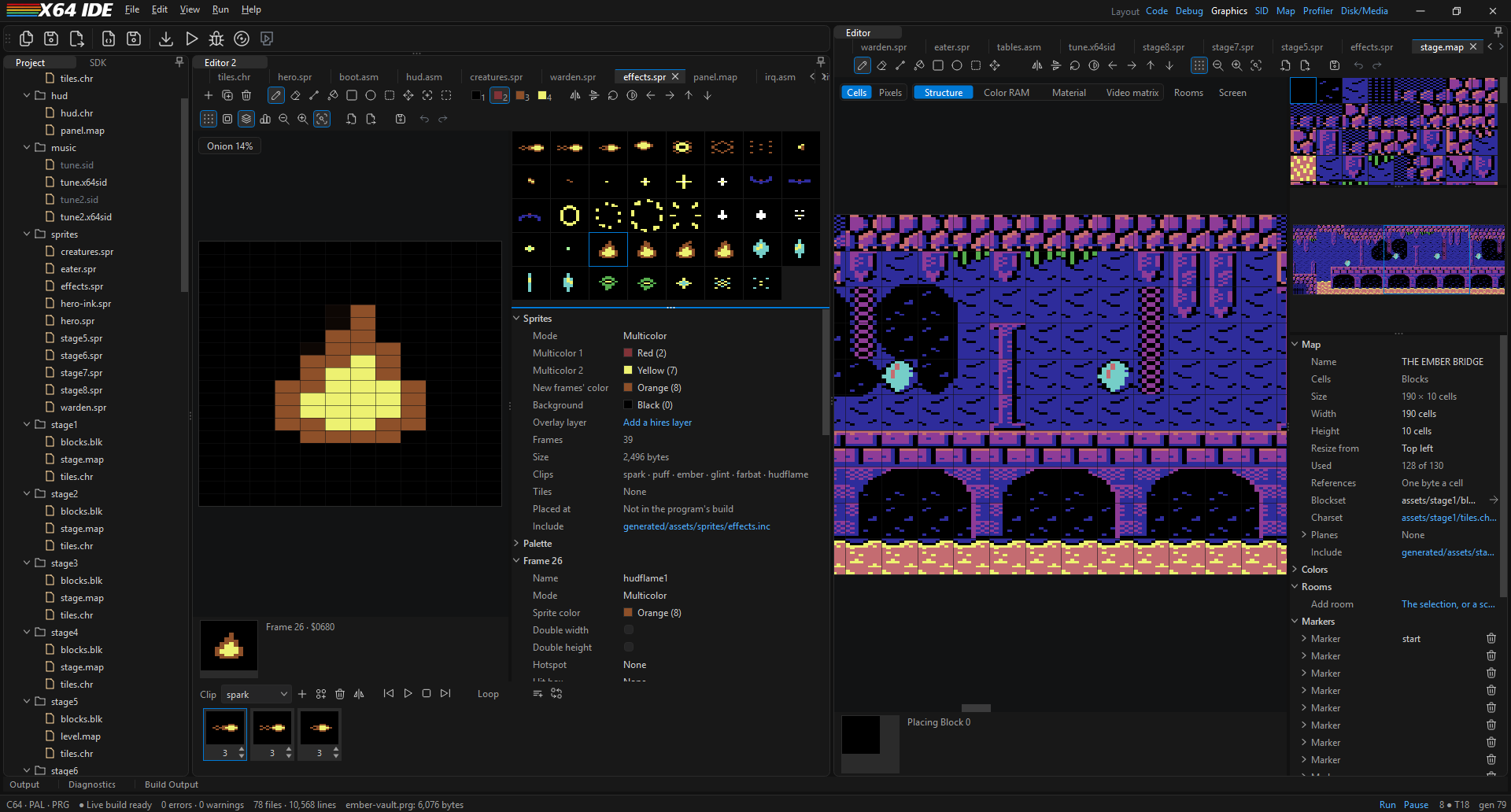
Draw sprites and characters, assemble blocks, and build maps. Your graphics stay connected to the code that brings them to life.
Actual development build · click to enlarge
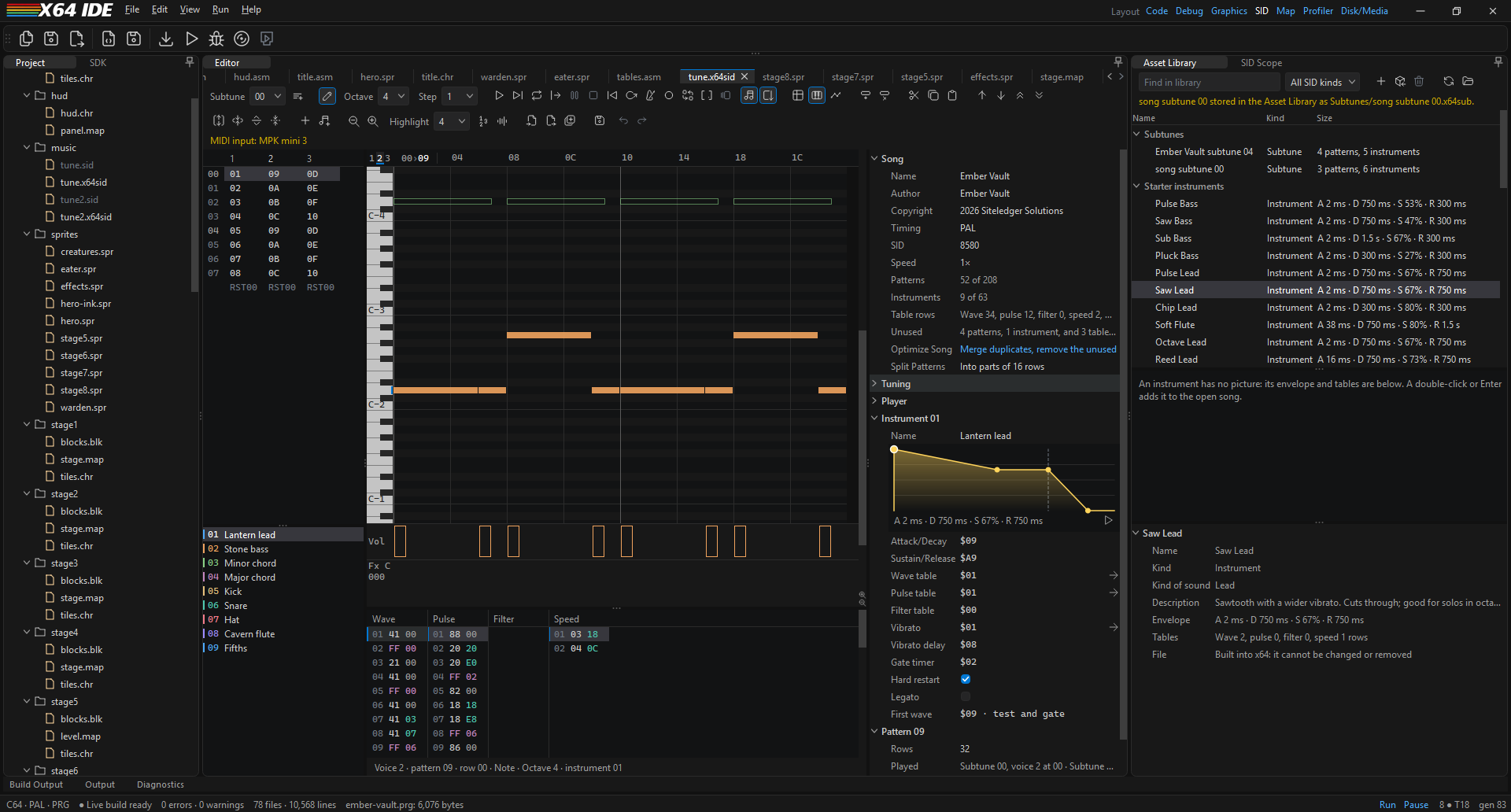
Compose for the SID in a native tracker. Switch between tracker, piano roll, and arrangement views while working on the same song.
Shown: Ember Vault in the SID workspace
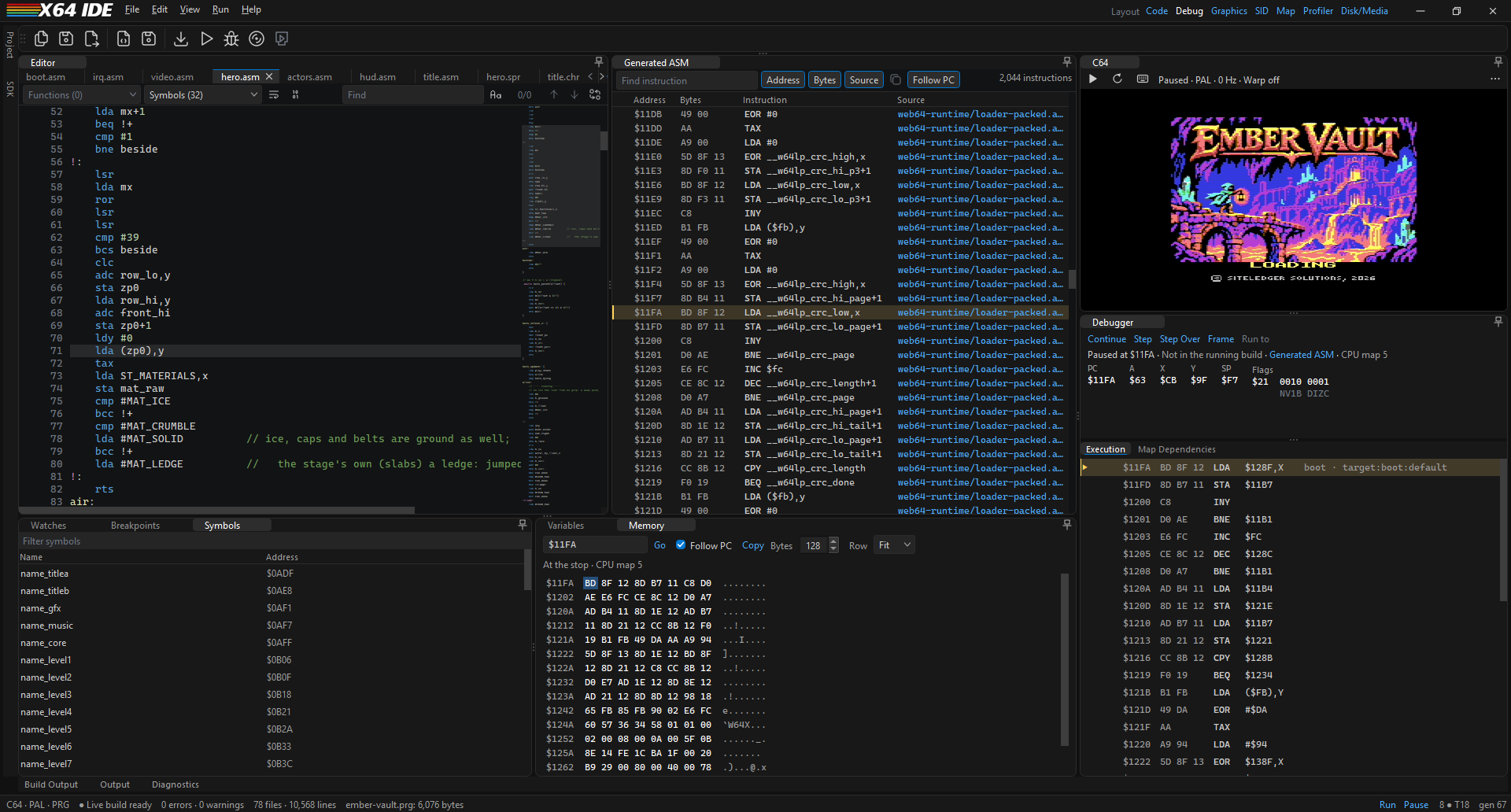
Pause execution, inspect registers, and step through instructions. Bring memory, watches, and profiler tools into your own debugging arrangement.
Actual development build · click to enlarge
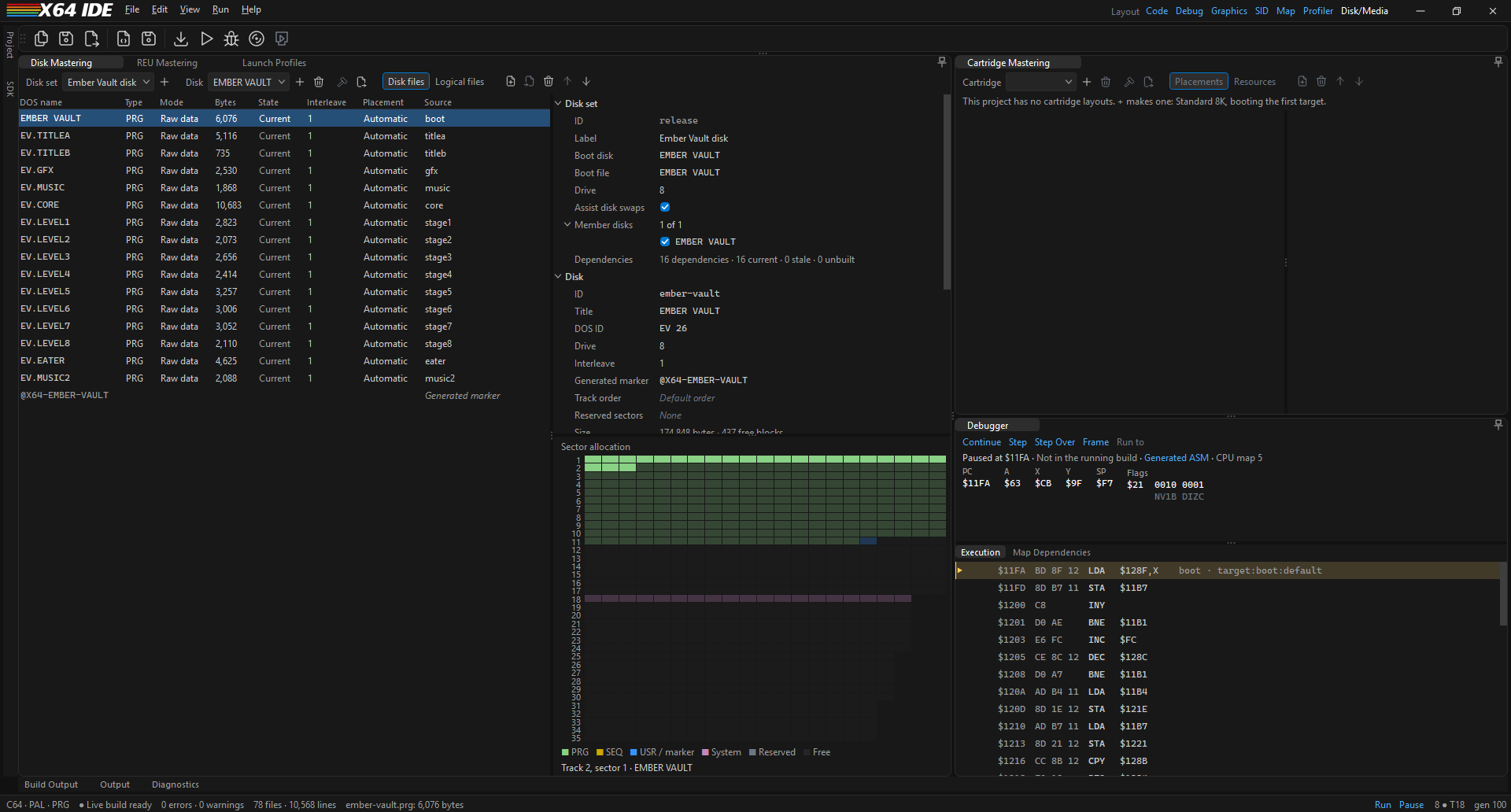
Prepare disk sets, arrange cartridge layouts, and configure REU images. Keep your program, assets, and launch settings together as you build your release.
Actual development build · click to enlarge
MADE WITH X64 IDE
A complete Commodore 64 platformer, built with X64 IDE. The code, graphics, music, and disk layout in this tour all belong to the game.
Get Ember Vault on itch.io#1itch.io · 8-bit Top GamesReached in just two days.
MADE FOR MAKING
From a first experiment to a disk full of ideas, X64 IDE keeps the tools and the machine within reach.
The integrated C64 is a resident machine. Build, run, pause, and inspect it from the same workspace as your source.
Build PRGs and author disk, cartridge, and REU layouts. Keep your code, assets, and media together in one project.
Dock, split, and rearrange panels. Move between Code, Graphics, SID, Debug, and other layouts without restarting your project.
Write 6502 assembly, use the integrated C compiler, or combine them. Keep low-level control where your program needs it.
Native projects keep source and assets beside an .x64proj file. Open and export self-contained .web64proj packages, too.
Explore bundled templates and examples. Keep the integrated manual, language reference, and SDK documentation close at hand.
IN THE MAKING
X64 IDE is in development for Windows 11 x64. The first release is planned for itch.io. We’re getting the app and its activation experience ready before opening sales.
A FEW GOOD QUESTIONS
X64 IDE is a native desktop development environment for the Commodore 64. It brings source editing, a C compiler and assembler, graphics editors, a SID tracker, debugging tools, and a VICE-based C64 into one workspace.
The first release targets Windows 11 on x64 PCs. Linux and macOS are not part of the initial release.
You can develop and run projects using the integrated C64 emulator. X64 IDE also builds C64 program and media formats for use beyond the IDE. Testing on your target hardware is still part of finishing a C64 project.
Yes. X64 IDE has an integrated C compiler and a 6502 assembler, and supports mixed C and assembly projects. The included language reference documents the supported C subset and runtime.
The planned flow is to purchase on itch.io, install X64 IDE, and verify your purchase email inside the app. After activation, a signed license will be checked locally. The service is still being built; final license terms will be published before sales begin.
Downloads are not available yet. The first release is planned for itch.io, and this page will link to the store when it is ready. There is no announced release date.